
Software Tools: Counting Lines

Last time we counted characters. The next logical thing is to count lines. Let’s look at the code to do that:

# linecount - count lines in standard input
character getc
character c
integer nl
while (getc(c) != EOF)
if ( c == NEWLINE)
nl = nl + 1
call putdec(nl, 1)
call putc(NEWLINE)
stop
end

We have a NEWLINE constant that represents a standard character for the system running the program. Using that keeps it portable.

We also introduce the idea of using “==” for a comparison to differentiate the operator from the single “=” which is used for assignment. This makes it easier to catch ourselves accidentally doing an assignment when we expected to do a comparison. In Java it’s not even allowed, so the compiler catches it for us!

We continue to use getc() and putc() as fundamental building blocks that handle system input and output. This allows us to use any input or output without worrying about the implementation. We just check one character at a time. Such a powerful design!

How do we make sure it’s working properly? Our first thought is to test for boundary conditions: a file with no lines, and a file with one line. If these are handled properly, the general case should be handled automatically.

So for an empty file, it won’t make it into the while statement, and since the nl counter is initialized to zero, it returns the correct answer.

For a file with one line, it will find that one line once. The counter will be properly incremented, and it will return the correct answer.

Is it overkill to test a tiny program like this? No, it’s called prudence. Good habits. If you get in the habit of thinking about boundary conditions when putting together a program, you’ll write more robust programs.

This book (and this series) is all about developing the proper habits to write great code, so pay attention to the little things. They matter.

Question for the reader: what if the file doesn’t end with a NEWLINE? How should that be treated?
Software Tools: File Copying

The book begins with a simple function, getc() that reads a character and then returns that character as its return code. It doesn’t matter where it reads the character from. Consider it an “input stream”.

Next it introduces another simple function, putc() that takes a character as a parameter and outputs it. Again, the output destination is unimportant. Consider it an “output stream.”

So we have two trivial functions that perform trivial work one character at a time. What good is that? Well, if we put them together into a single function, we can take input from anywhere and output it anywhere. You may recognize this function as cat on a Linux system.

The only thing I have to worry about in this program is how to detect the end of the file. To solve that problem we choose an end-of-file character that we will call EOF. The book introduces a programming language, Ratfor, a Fortran pre-processor, that resembles C. Here is our function in Ratfor:

# copy - copy input characters to output

integer getc
integer c

while (getc(c) != EOF)
    putc(c)
stop
end

It uses integer values rather than chars to keep data types simple for the example code. It also uses indentation rather than curly braces or BEGIN/END statements to mark off code statements. And EOF is a symbolic constant to keep the code readable rather than using a magic number.

All of these are helpful practices for making code more readable. Martin Fowler’s quote, “Any fool can write code that a computer can understand. Good programmers write code that humans can understand.” came decades later!

Also consider that this kind of function is the basic building block of the Unix (and Linux and BSD and…) operating system. Take some input (any input) and put it on the output (any output). With it I can read a file from a disk and print it to the screen or to a printer. This is why any file or device on Linux is defined as file. It keeps the tools consistent and simple.

One tiny little program. It does one thing and does it well. It is an ideal software tool. With a collection of similarly designed software tools, we’ll be able to accomplish powerful work.

What are some other simple tools that you use?

Why “Software Tools” Still Matters: Lessons for Today’s Developers 

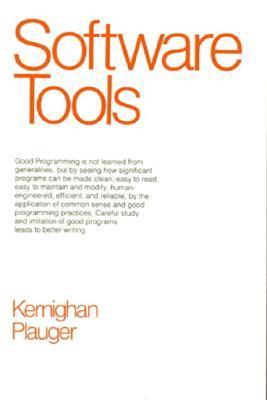
There are a number of excellent computer science books that were written decades ago, and were essential to any programmer’s library, but newer developers may not even know that they exist. Some of these books contain timeless lessons that continue to shape everything we do today. One such book is Software Tools by Brian Kernighan and P.J. Plauger—published in 1976, yet still incredibly relevant for modern software development. 

This book isn’t just an introduction to programming; it’s a guide to thinking like a programmer. It teaches the value of small, composable functions, discusses the importance of structured programming, and building reusable tools—all principles that remain foundational, whether you’re writing shell scripts, working with cloud infrastructure, or crafting clean APIs. 

Why should you care? If you develop software today, you’re standing on the shoulders of giants—people who helped establish the best practices that still define our field. The authors of this book also wrote other essential references (including much of the Unix operating system) and wrote in a clear and approachable way. Software Tools succinctly shows how simple, well-written code leads to scalable and maintainable systems. Whether you’re diving into Unix internals, building microservices, or scripting automation, the principles in this book are everywhere. 

We will take a deep dive into this book and discover the essential and timeless wisdom hidden there, and see how we can apply it in our work today. We’ll see how some of these tools still exist in modern Linux, and how the ideas discussed influenced programming languages, like C and even more modern languages, like Python and Rust.

Some key ideas we’ll explore: 

– The power of small tools: Why the Unix philosophy emphasizes writing simple, single-purpose programs that easily connect with one another.

– Understanding character input and output: Concepts that remain crucial for handling file streams, parsing data, and even writing efficient CLI tools. 

– Code readability and structure: How naming conventions, proper language idioms, and thoughtful code structure improve readability and maintainability. 

– Thinking about edge cases: Why seemingly simple tasks can often hide deeper complexities in software design. 

As we work through this book, you’ll see that what seemed like niche technical wisdom from the ‘70s is actually a timeless guide to writing clean, effective software. We’ll start next week!